Opened 5 years ago
Closed 5 years ago
#8402 closed defect (bug) (worksforme)
“Change Profile Photo” function to delete & crop Avatars is broken on Vanilla install
| Reported by: |
|
Owned by: | |
|---|---|---|---|
| Milestone: | Priority: | normal | |
| Severity: | normal | Version: | 6.3.0 |
| Component: | Media | Keywords: | reporter-feedback |
| Cc: |
Description
Hello. Brand new install of WP 5.5.3 and BuddyPress 6.3.0 on a server running MySQL Version
5.6.32 & PHP Version 7.4.10 with NO OTHER plugins active & running on 2020 template.
On Page: https://www.rolevant.com/members/rolevantist/profile/change-avatar/
I can upload the image and am given the option to crop the uploaded image. However, once I select my crop area and I press the crop button the <upload & crop> area disappears & a red box WITH NO MESSAGE appears. Nothing else happens.
The original files are being uploaded to
https://rolevant.com/wp-content/uploads/avatars/1/…
But no automatically resized or manually cropped images are being saved anywhere.
Other similar Avatar Crop issues from 8-10 years ago exist on BuddyPress support forum, but nothing that is applicable to these latest versions. Any & all fixes (incompatable javascipt, JQuery, AJAX version incompatibility with JQUERY/AJAx versions called by templates) just do not appear to be relevant here. Your help/validiation & fix of this bug is appreciated!
Attachments (2)


Change History (4)
#1
 @
@
5 years ago
- Component changed from Core to Media
- Keywords reporter-feedback added
- Milestone changed from 7.0.0 to Awaiting Review
- Priority changed from high to normal
- Severity changed from major to normal
Hi @zloro
Thanks for your feedback. I wasn't able to replicate the issue. Everything works fine for me in Twenty Twenty.
Could you add/replace/delete an avatar having the Network tab of your browser's inspector open and select to only trace XHR requests. Once you cropped the image, you should have 2 lines about the admin-ajax.php file.
What's the information of the Headers tab?

And what's the information of the Preview tab?
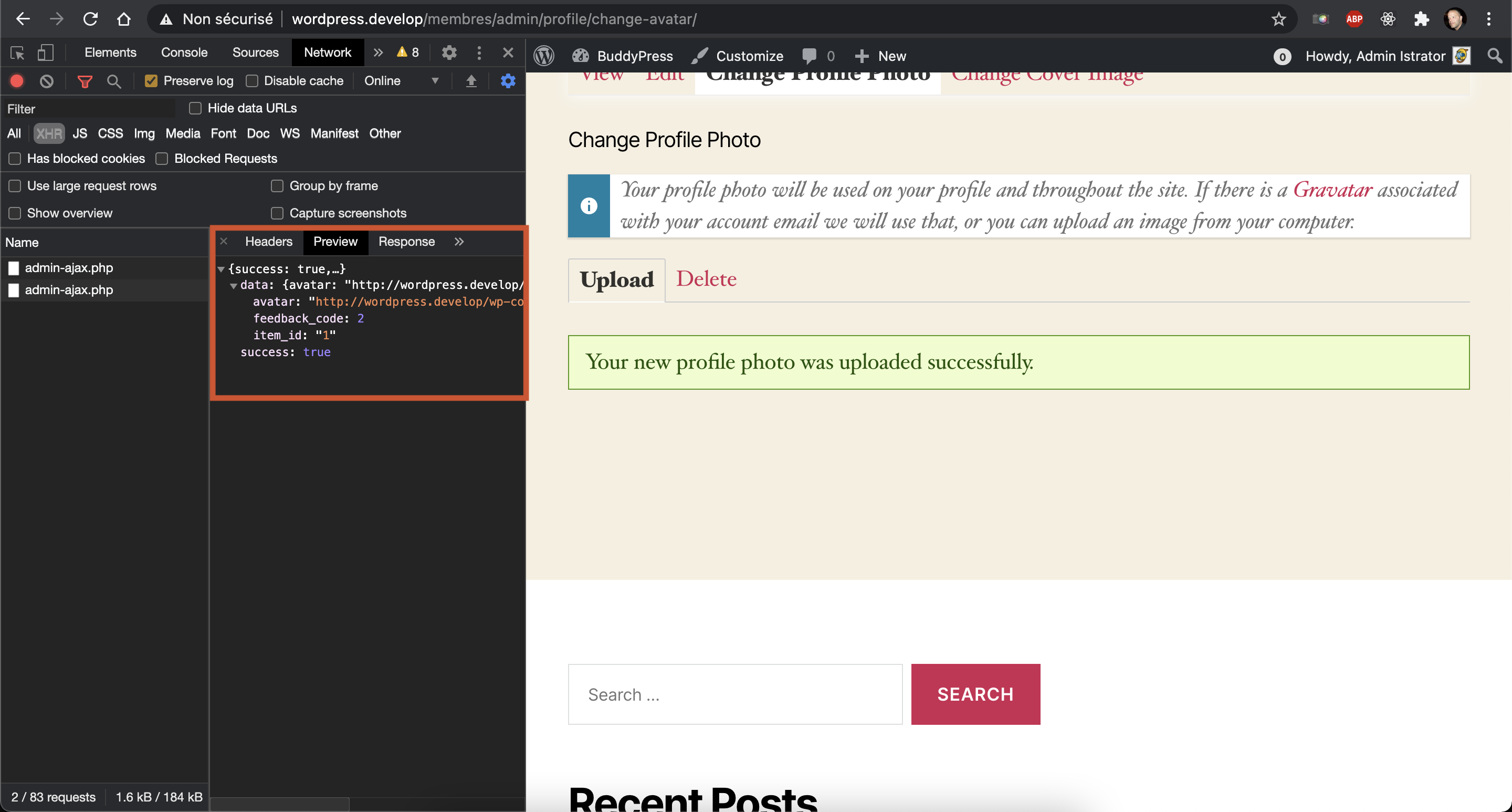
Finally, could you look into the console tab of the browser's inspector to see if there are errors ?
Delete Profile Image fails with no message